

“UPS Hold Mail” is not really the official UPS term in 2026. If you want UPS to stop deliveries while you are away, the real tool is UPS My Choice. UPS says My Choice can hold a package until you are back in town, leave it with a neighbor, reroute it to another address in some cases, or hold it for pickup at a UPS location.
That distinction matters because many older articles mix UPS and USPS terminology. USPS has Hold Mail. UPS has a delivery-management workflow inside My Choice. The name is wrong, but the problem is real.
| If you mean… | What UPS actually offers | Best use case |
|---|---|---|
| Pause delivery while you are away | Hold a delivery in UPS My Choice | Vacation, travel, or days when nobody will be home |
| Pick the package up yourself | Hold for pickup at a UPS location or Access Point | You want control over the final handoff |
| Send it somewhere else | Reroute to another address, when allowed | You need the box moved to a different delivery location |
| Avoid porch delivery | Leave with neighbor or hold at location | You do not want the package sitting outside |
How UPS hold delivery really works now
UPS’s current support pages say you can use UPS My Choice to request a hold on deliveries in a few different ways:
- hold the package and have it delivered once you are back
- request that UPS leave it with a neighbor
- reroute it to another address, in some cases
- hold it for pickup at a UPS location
That is the official framework. If a page tells you to use a separate “UPS Hold Mail” portal, it is already out of date.
Do you need UPS My Choice?
Yes, for the full hold-delivery workflow.
UPS currently points customers to UPS My Choice for delivery holds and broader delivery control. For some one-time changes, UPS also lets guests make a change by tracking the package and verifying through a temporary passcode. But for ongoing delivery-management features, My Choice is the real control panel.
UPS also says My Choice membership is free, which is important because a lot of older articles still imply that basic hold functionality requires a premium membership by default. If you want the broader self-service map around that, the UPS FAQs page is the next stop.
What options you can choose instead of normal delivery
The best move depends on why you want the hold in the first place.
Hold until you are back in town
This is the closest thing to the old “hold mail” idea. UPS says it can hold onto your package and deliver it once you are back. That is the right move when you do not want the shipment rerouted permanently, and you just need to prevent a failed delivery while you are away.
Hold for pickup at a UPS location
This is often the cleaner option for valuable shipments. UPS says My Choice can hold packages for you to pick up at a UPS location.
UPS also says that if a package is moved to a UPS Access Point, it can be held there for up to seven calendar days at no additional charge for My Choice members. That makes this the most useful anti-theft option when you know you will not be home.
Leave with a neighbor
UPS says My Choice can let you request that the package be left with a neighbor. That is convenient, but it is also the option most people regret when the neighbor is not actually expecting a delivery or is out of town too.
Reroute to another address
UPS says you can reroute a package to another address in certain cases. This matters because not every shipper allows address changes. If the option is missing on the package, it often means the shipper restricted it.
How to request a UPS hold delivery
The cleanest current workflow is:
- Log in to your UPS account and open UPS My Choice.
- Go to the delivery options for the package.
- Choose whether you want to hold the delivery, reroute it, leave it with a neighbor, or hold it for pickup.
- Follow the prompts and confirm the request.
If you are not seeing those options, that does not always mean you are doing something wrong. UPS’s support flow says some shippers restrict delivery changes, especially on sensitive or signature-controlled shipments.
If the options are missing and you need a person to confirm why, reach a real person at UPS before you keep retrying the same blocked change request.
When UPS Hold Mail is the wrong phrase and the wrong expectation
This is the part most old pages miss. UPS is not USPS.
If you expect UPS to pause all inbound mail-like deliveries at your address the way USPS Hold Mail works, you are using the wrong mental model. UPS delivery management happens package by package through My Choice or tracking-based change options. It is not a blanket “freeze everything to this address” postal hold in the USPS sense.
That matters because it changes how you prepare. You may need to:
- watch active tracking numbers
- apply changes to eligible packages
- confirm whether the shipper allows a reroute
- choose a hold-for-pickup workflow instead of assuming UPS will automatically warehouse everything for you
What to do if you already missed a delivery
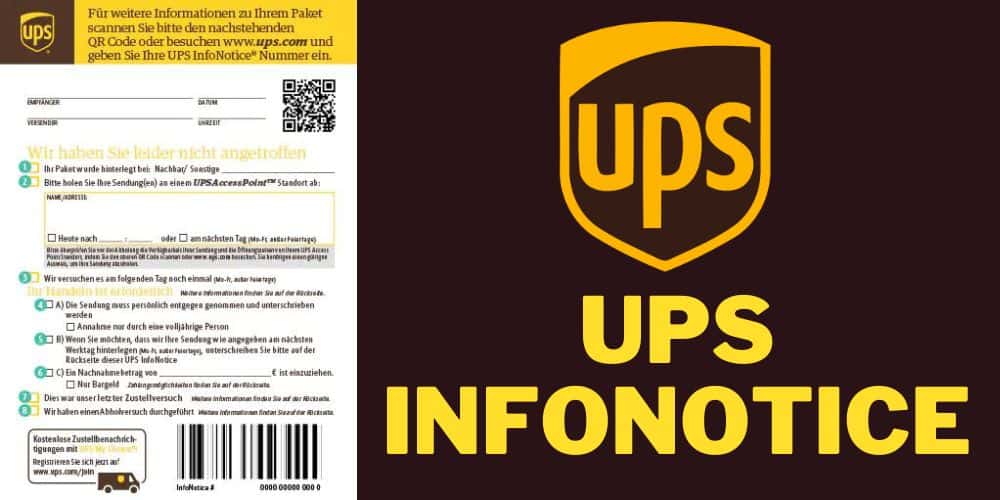
If you are reading this after the driver has already tried to deliver, you may be in an UPS InfoNotice workflow rather than a normal My Choice hold workflow.
UPS says a delivery notice can show:
- where the package may be
- when UPS will try again
- whether the box has been redirected to an Access Point
If the driver already left a notice, start with the UPS Delivery Notice page first. It is usually faster than trying to build a new hold request from scratch.
When a hold request will not help much
A hold request is less useful when:
- the package is already showing delivered
- the shipper has restricted delivery changes
- the package requires an adult signature
- the package is already deep in a claim, exception, or return-to-sender workflow
If the shipment is already marked delivered but you cannot find it, use UPS delivered to wrong address. If the box is being sent back or you need to stop a sent shipment before first delivery, UPS return to sender is the better page.
The real cost question
UPS’s current public support pages no longer frame basic hold functionality the same way older articles did. The key cost point they publish clearly is that Access Point holds through My Choice can be available for up to seven calendar days at no additional charge.
That does not mean every delivery change is always free. UPS continues to note that some changes, especially address changes or sender-side intercepts, may involve fees. So the safest rule is:
- basic recipient-side hold and pickup control can be free in My Choice
- reroutes and intercept-style changes may not be
When this page is the wrong fit
This page is not the best first read if:
- you already have a UPS Delivery Notice
- you need to change a package you sent, not one you are receiving
- the package already says delivered
- the issue is really a stalled tracking history rather than a hold request
Use the main UPS carrier guide for broad service questions, the UPS InfoNotice workflow for notice-based pickup, and UPS tracking not updating for quiet scans.
For general UPS support on hold and delivery-change questions, the UPS Help and Support Center is the right escalation path if My Choice options are not solving the problem.
FAQ
Does UPS have a Hold Mail service like USPS?
Not in the USPS sense. UPS uses UPS My Choice to manage hold, reroute, neighbor release, and hold-for-pickup requests for eligible packages.
Can UPS hold a package until I get back from vacation?
Yes. UPS says My Choice can hold onto your package and deliver it once you are back in town.
Can UPS hold my package at an Access Point?
Yes. UPS says My Choice members can have packages held at The UPS Store or another UPS Access Point location for up to seven calendar days at no additional charge.
Can I reroute a UPS package to another address?
Sometimes. UPS says rerouting to another address is available in certain cases, but some shippers restrict it.
What if I already missed the delivery?
If the driver already left a notice, start with the UPS InfoNotice flow. That workflow is usually more relevant than setting up a new hold request from scratch.
If the box is already moving toward pickup or return, a fresh hold request usually will not rescue it. At that point you need the notice workflow.