
A cordless barcode scanner removes the leash — but picking the wrong one will slow you down more than the cord ever did.
The right scanner comes down to three decisions: the type of barcode you’re reading, how you connect it to your device, and how hard it’ll work daily. Get those three right and most scanners at a given price point perform fine. Get them wrong and you’ll be returning the thing inside a week.
1D vs 2D: Which Type Do You Need?
Most warehouse and retail barcodes are 1D — the classic striped Code 128, UPC-A, or EAN-13 formats printed on product packaging and shipping labels. If you’re scanning standard inventory, retail products, or library books, a 1D scanner handles everything you’ll encounter.
2D scanners read QR codes, Data Matrix codes, and PDF417 barcodes — the formats used in digital coupons, pharmaceutical packaging, airline boarding passes, and some carrier tracking labels. They also read all 1D symbologies, which makes a 2D scanner the more flexible buy if you’re unsure what you’ll be scanning in 12 months.
The honest tradeoff: 2D scanners cost more. For pure inventory work where you’re scanning UPC barcodes all day, spending extra on 2D capability you won’t use rarely makes financial sense.
Bluetooth vs USB Dongle: The Connectivity Decision
Two wireless methods dominate the market, and the right one depends on your setup.
Bluetooth pairs directly to a phone, tablet, or computer. It’s the right call for mobile workflows — eBay sellers working from an iPad, trade show vendors, or anyone running a mobile POS. The downside: initial pairing takes setup, and in environments where staff share devices, Bluetooth connections get dropped or forgotten and re-pairing becomes a recurring annoyance.
USB dongle (2.4 GHz) works differently. A small receiver plugs into a USB port; the scanner locks onto that dongle and reconnects instantly every time it powers on. No pairing menus. No re-pairing after updates. Plug it in and scan.
The catch: USB dongle scanners can’t connect to phones or tablets without a USB adapter. If your workflow is desktop or laptop only, the dongle is the cleaner choice. If you need mobile flexibility, Bluetooth is worth the pairing overhead.
Range, Battery Life, and Build Quality
Range: Most real-world indoor environments don’t need more than 30–50 ft (10–15 m) of wireless range. USB dongle scanners typically deliver 33–50 ft reliably. Bluetooth scanners advertise much higher ranges — some quote up to 300 ft in open air — but inside a warehouse with shelving and foot traffic, effective range drops significantly. Buy for the indoor reality, not the spec sheet.
Battery life: 20+ hours of continuous scanning handles a full warehouse shift with capacity to spare. Under 20 hours is manageable for light-use retail where the scanner sits in a cradle between bursts. USB-C charging is worth prioritising over proprietary cables — you’ll thank yourself when the original cable disappears.
Build quality: If the scanner will be dropped — and it will be — look for IP42 or better (dust and splash resistance) and at least a 1.5 m drop rating. Unrated budget scanners often crack on the first hard-floor contact.
Top Cordless Barcode Scanners
Zebra DS2278 — Best for Retail and Light Warehouse
The DS2278 is the standard professional pick for a reason. It reads every major 1D and 2D symbology via a fast omnidirectional imager, connects over Bluetooth 4.0, and carries a 1.5 m drop rating with IP42 protection for dust and light splashes. Battery runs approximately 7 hours — enough for a full retail shift.
The scan engine handles damaged and poorly printed barcodes better than budget alternatives. That reliability matters at a busy checkout or in a warehouse where a mis-scan means a manual re-entry.
Ideal for: Retail stores, healthcare environments, light warehouse operations where staff move within 10 m of a terminal.
Main con: Enterprise-tier pricing — this costs significantly more than the budget options below.
Honeywell Voyager 1602g — Best for POS and Counter Use
The Voyager 1602g is slim, lightweight, and built around a reliable area imager that handles 1D barcodes and basic 2D codes. At 14 hours of continuous use it comfortably covers a full shift. It connects to iOS, Android, and Windows without driver installation — just pair and scan.
This is the scanner for a busy checkout counter where speed matters and the barcodes are consistent. The scan engine doesn’t struggle with low-contrast or slightly damaged labels the way cheaper laser scanners do.
Ideal for: Retail POS, library circulation desks, customer service counters.
Main con: Not rated for rugged warehouse conditions — no IP protection, not drop-tested to warehouse standards.
Socket Mobile S700 — Best for Mobile Selling
The S700 is compact enough to pocket and MFi-certified for iPhone, meaning it pairs reliably with iOS apps including Square, Shopify POS, and eBay’s seller tools. Battery runs 14+ hours. The scan engine is 1D only, which covers every standard retail barcode.
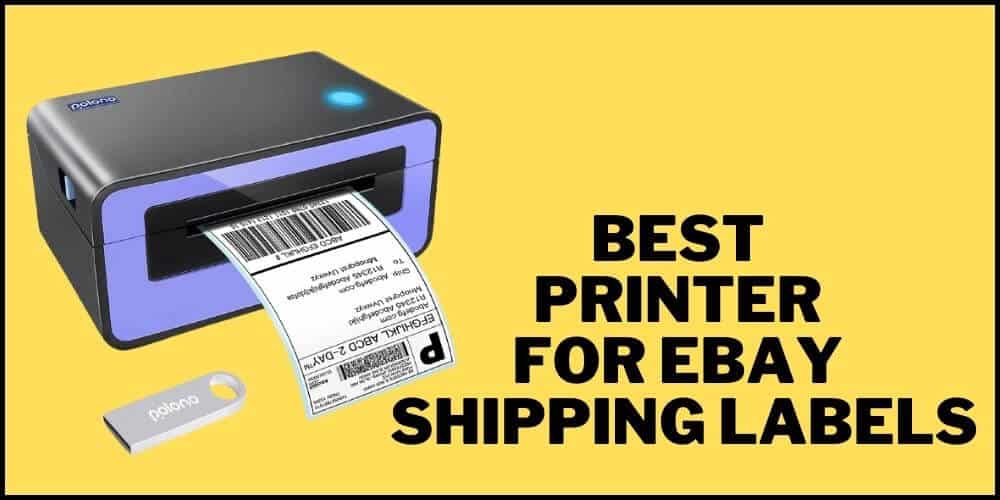
If you’re running a home shipping operation or selling at markets and fairs, this pairs with your phone so your entire setup is a phone and a scanner. eBay and USPS both offer discounted shipping rates for sellers that stack well with a low-cost scan-and-print setup. Once you’re scanning orders out the door, you’ll also want a reliable way to print labels — a dedicated label printer for eBay shipments rounds out the workflow without the per-label cost of office supply stores.
Ideal for: eBay sellers, Etsy sellers, mobile POS, trade shows, pop-up retail.
Main con: 1D only; premium price for the compact form factor.
Inateck BCST-60 — Best Budget Pick
The BCST-60 uses a 2.4 GHz USB dongle — plug it in, start scanning. No Bluetooth pairing, no drivers, no setup at all. Battery lasts approximately 20 hours; wireless range indoors is around 33 ft. It reads standard 1D codes accurately and consistently.
For a small shop or home business where you scan intermittently through the day, this does the job at a fraction of the professional price. The dongle-based connection also means it works reliably across Windows, Mac, and Linux without any configuration.
Ideal for: Home-based sellers, small shops, light inventory work, anyone who wants zero setup friction.
Main con: USB dongle means no phone or tablet use without an adapter. 1D barcodes only.
Tera Wireless 2-in-1 — Best Battery Life on a Budget
The Tera wireless scanner packs a 2000 mAh battery rated for 40 hours of continuous scanning — more than any other scanner in this price range by a significant margin. It connects via USB dongle, reads 1D codes, and ships with an anti-shock silicone case that actually absorbs drops rather than just looking rugged. The scan engine won’t match the precision of the Honeywell or Zebra on faded labels, but for steady inventory work it performs reliably.
If you’re scanning outbound shipments and then dropping packages at your local USPS location at the end of the day, the Tera handles the pre-shipment scan-and-verify step on a single charge without drama. Here’s a practical breakdown of where to drop off USPS packages and what the options cost you in time.
Ideal for: Small warehouses, home shipping operations, any environment where mid-day charging is inconvenient.
Main con: Heavier than the others; 1D only; scan engine struggles with damaged or very low-contrast labels.
Quick Comparison
| Scanner | Barcode Type | Connection | Battery | Drop Rating | Best For |
|---|---|---|---|---|---|
| Zebra DS2278 | 1D + 2D | Bluetooth 4.0 | ~7 hrs | 1.5 m / IP42 | Retail, healthcare |
| Honeywell Voyager 1602g | 1D + 2D | Bluetooth | ~14 hrs | Not rated | POS, counter use |
| Socket Mobile S700 | 1D | Bluetooth (MFi) | 14+ hrs | Limited | Mobile selling, iOS POS |
| Inateck BCST-60 | 1D | USB dongle | ~20 hrs | Not rated | Small shop, home use |
| Tera Wireless 2-in-1 | 1D | USB dongle | ~40 hrs | Silicone sleeve | Budget warehouse |
Frequently Asked Questions
Does a cordless barcode scanner work with Shopify or Square?
Bluetooth scanners that support HID (Human Interface Device) mode work with both Shopify POS and Square with no additional software. In HID mode the scanner registers as a keyboard input — the app receives the scanned data exactly as if it were typed. Check the product listing explicitly for “HID mode” or “keyboard emulation” before buying for POS use.
Can I use a cordless barcode scanner with my iPhone?
Yes, if it supports Bluetooth and iOS. The Socket Mobile S700 and Zebra DS2278 both pair reliably with iPhone and iPad. USB dongle scanners require a Lightning or USB-C adapter to work with iOS devices — technically possible, but less reliable and adds cost.
What’s the difference between a laser scanner and an imager?
Laser scanners use a moving laser beam to read 1D barcodes in a single straight line. Imagers use a camera sensor and can read barcodes at any angle, including from phone screens, and handle 2D codes like QR and Data Matrix. For most modern retail and shipping workflows an imager is the better long-term choice — they’re faster on damaged labels and future-proof for 2D.
Do I need a 2D scanner for shipping labels?
Standard USPS, UPS, and FedEx shipping labels use 1D barcodes (Code 128 or similar), so a 1D scanner handles carrier label scanning without issue. You’d only need 2D capability if you’re also scanning QR codes, digital coupons, or specialty labels like GS1 DataMatrix used in pharmaceuticals.
For most small businesses and home sellers, the Inateck BCST-60 or Tera is plenty — both deliver reliable 1D scanning for years at a low upfront cost. Step up to the Honeywell or Zebra if you’re running a busy retail counter where a slow or missed scan costs real money. The Socket Mobile S700 sits in its own category: it’s the right call specifically when your workflow runs through an iPhone or iPad and you need MFi-certified reliability.
Pick the scanner that fits your actual environment, not the most impressive spec sheet.