

If your FedEx tracking is not updating, the first question is not “Is the package lost?” It is “What kind of gap are you looking at?” The answer depends on how FedEx’s scan-and-status system handles different kinds of transit events — the full picture is in the FedEx tracking and support guide.
In 2026, the most common patterns are:
- the label was created but FedEx has not accepted the package yet
- the box is moving between hubs and has not hit the next scan point
- a handoff, exception, or weekend slowdown is delaying visible movement
- the package has actually slipped into a support-ticket or claim situation
That distinction matters. A dead-looking tracking page is sometimes normal. A dead-looking tracking page after the promised date, with no clean explanation, is not.
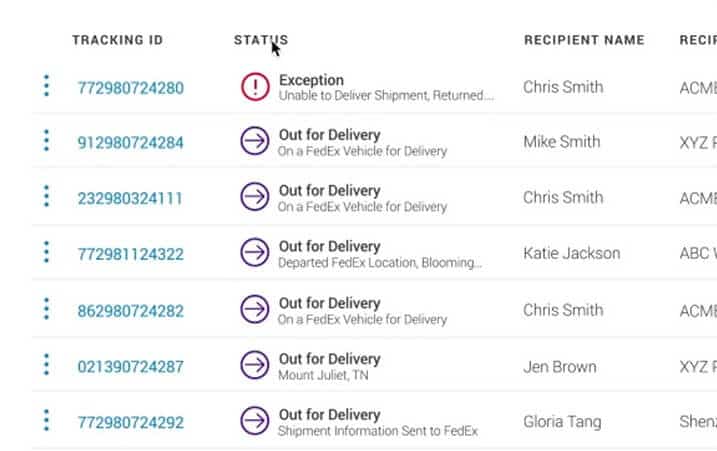
The quick rule is this: if the shipment has gone quiet for less than 24 hours, waiting is usually reasonable. If the promised delivery date has already slipped or the history is stalled for longer without a clear handoff or exception, move to escalation.
The four most common reasons FedEx tracking stops moving
1. The label exists, but FedEx does not have the package yet
This is the classic “Shipment information sent to FedEx” pattern. The shipper created the label, but the box has not been handed off or accepted into the network yet.
That is not a live in-transit shipment. It is a pre-acceptance record.
2. The package is between scan events
FedEx does not scan every package at every physical moment. Long-haul moves, weekend transitions, and linehaul transfers can leave a shipment quiet for a day even when it is still moving.
If the last meaningful scan says the package departed a FedEx location, that usually means it left one facility and is waiting for the next facility scan, not that it vanished.
3. A delivery exception or handoff is slowing the next update
Weather, address problems, customs review, holiday volume, and final-mile handoffs can all slow the next visible scan. This is especially common with lower-priority services and residential deliveries.
4. The shipment has moved from “delay” into “support problem”
If the expected date passed, the status wording stopped making sense, or the scan history contradicts what should have happened, the issue is no longer “wait and see.” That is when you start a support ticket or move toward a claim.
How long does it normally take for FedEx tracking to update?
FedEx tracking can take up to 24 hours to show the first meaningful update after label creation or acceptance. Gaps of roughly a day between scans can also happen while the package is moving through the network.
That said, the timeline changes depending on the pattern:
- Label created only: wait for the first acceptance scan
- Already in transit: a one-day gap can be normal
- Past the delivery promise: escalation is more reasonable
- International or customs-heavy shipment: gaps can be longer, but the history should still make sense
If the box is still moving, an in-transit status is the expected state and a one-day gap is normal. If the delivery date vanished entirely and was replaced by “scheduled delivery pending,” that is closer to what you are seeing.
What you should do before calling FedEx
Start with the easy checks first. They solve more cases than most people expect.

How do I get FedEx to Update My Tracking?
- Confirm you entered the right tracking number.
- Check whether the status is only a label-creation event.
- Compare the service level with the day of week and any holiday slowdown.
- Look for exception wording, handoff language, or customs-related notes. Our guide to what each tracking status actually means can tell you whether the wording signals a real problem or routine movement.
- Check the FedEx tracking page or Delivery Manager in case the delivery options view shows more context than the basic status page.
If you no longer have the tracking number, recover it from your FedEx account, the confirmation email, or the shipper before you do anything else.
When you should stop waiting and escalate
A stalled FedEx shipment is one version of the broader package not moving problem, and it comes down to the same call every carrier forces: keep waiting or escalate. FedEx’s current support guidance is the useful line here: if the package is delayed by one day, you can start a support ticket.
That does not mean every one-day scan gap is a crisis. It means once the promised movement is no longer happening on time, FedEx considers support outreach reasonable.
Escalate when:
- the package is delayed by at least one day beyond the commitment
- the tracking history has stopped making sense
- the box appears stuck at the same facility with no next action
- the shipment says delivered but you do not have it
- the sender insists it shipped, but FedEx still only shows label creation after a full day
If the problem is really a delivery failure rather than a tracking gap — the box shows delivered but you don’t have it, it went to the wrong address, or it was out for delivery and never arrived — those are different problems with their own recovery steps.
Does no update mean FedEx lost the package?
Not automatically.
Most stalled-tracking situations are still delays, handoffs, or missed scans, not a confirmed loss. But the risk gets higher when:
- the promised date is gone and nothing new replaces it
- the package has been stuck at the same place for days
- the history suggests a failed sort, bad label, or recovery event
- support can no longer explain where the box is supposed to go next
FedEx’s claims rules are also a better reality check than panic. A missing package becomes a claims issue when the shipment is actually lost or undelivered, not just when the scan history feels slow. You can review current claim rules and start a case from the FedEx claims page.
What FedEx claims timing looks like in 2026
FedEx currently separates support tickets from claims. That matters.
- A support ticket is the first move when the shipment is delayed, stalled, or confusing.
- A claim is the formal step for loss, damage, or missing contents once the shipment has clearly crossed into that territory.
For most U.S. packages, FedEx says loss or damage claims generally must be filed within 60 calendar days from the ship date. For most international packages, the window is usually 21 calendar days. Many undelivered or non-delivery claims have a longer filing window, but you should not rely on the outer limit if the package is already going sideways.
If the shipment is clearly gone, FedEx lost package: steps, claims, and deadlines is the better next page.
What to expect if you have to escalate
FedEx tracking not updating: when it is time to escalate
If you escalate, keep the ask simple:
- confirm whether FedEx has physical possession of the package
- confirm the last real scan event
- ask whether the shipment should move into a support ticket or claim path
- save screenshots of the tracking page and the promised date
The mistake is jumping straight into dramatic remedies. A support ticket is normal. A formal claim is sometimes necessary. A lawsuit section in a tracking article is usually just filler.
If you do need a live agent, reach a real person at FedEx and have the tracking number, ship date, and exact status wording ready. The FedEx shipping FAQ page also covers common escalation and delay questions.
How long does it take FedEx to scan a package?
How long does it take FedEx to scan a package?
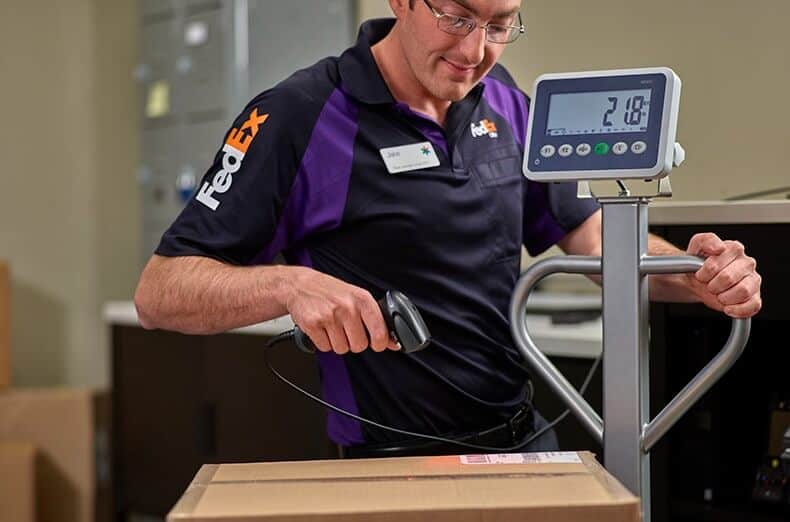
FedEx can take up to 24 hours to reflect the first acceptance or next meaningful scan. That is still the best practical rule of thumb.
The useful nuance is that scans are event-based, not continuous. A package can be moving without showing a fresh public update every few hours.
The mistakes that waste the most time
These are the big ones:
- Treating label creation like proof that FedEx already has the box.
- Assuming a one-day scan gap means the package is definitely lost.
- Waiting too long after the promised date slips to start a support ticket.
- Filing the wrong type of case because the shipment is delayed, not actually lost.
If the shipment is going through a final-mile handoff, older articles may still call that service SmartPost. FedEx renamed it FedEx Ground Economy, so older terminology can confuse what you are seeing in tracking.
FAQ
How long should I wait if FedEx tracking is not updating?
About 24 hours is a reasonable first checkpoint. If the shipment is delayed by one day past the expected movement or delivery, start escalating.
Does “Shipment information sent to FedEx” mean FedEx has the package?
Not necessarily. It often means the label exists but FedEx has not yet accepted the shipment.
Can FedEx tracking stop updating while the package is still moving?
Yes. Packages can go through linehaul moves and transfers without a public scan at every step.
When should I open a FedEx support ticket?
When the shipment is delayed by one day, the tracking history stops making sense, or the promised delivery path has clearly broken.
When should I file a FedEx claim instead?
File a claim when the shipment is clearly lost, damaged, or missing contents and the case has moved beyond a normal delay or support-ticket problem.